TECH TIPS — THURSDAY, AUGUST 20, 2026
Passkeys, AI Hygiene and the 80% Rule
Three fixes you configure once and never think about again
Most advice about personal technology fails for the same reason: it asks for constant vigilance. The habits that actually endure are the ones you configure once and then forget about. This week we look at three of them — a login method that cannot be phished, a set of defaults that stop your AI assistant from absorbing information it should never see, and a charging discipline that adds years to the most expensive consumable in your pocket. None of them takes more than fifteen minutes to set up. All three keep working long after you have stopped thinking about them.
🔑 Tip One: Move Your Critical Accounts to Passkeys
SECURITY
15 MINUTES

The password has survived far longer than it deserved. Its replacement, the passkey, is now supported by Google, Apple, Microsoft, Amazon, most major banks, and every serious password manager. The distinction matters more than the branding suggests. A password is a shared secret — you know it, the service knows it, and anyone who breaches the service or convinces you to type it into a convincing imitation now knows it too. A passkey is a cryptographic key pair. The private half never leaves your device. There is nothing to phish, nothing to reuse, and nothing to leak in a bulk database dump.
In practice, signing in with a passkey means using what your phone already does well: a fingerprint, a face scan, or the device PIN. The friction disappears along with the risk. Security researchers consistently note that phishing, SIM-swap attacks, and stolen session tokens defeat "strong passwords" far more often than brute force ever does — and passkeys neutralise the first of those categories entirely.
Tip #1: Enrol in the right order, and build your exit before you close the door
Start with the three accounts that unlock everything else: your primary email, your password manager, and your cloud account (Apple, Google, or Microsoft). Use a syncing service or a cross-platform password manager so that a lost or broken phone does not become a lost account. Critically, generate and store recovery codes and confirm a working backup sign-in method before you delete your last password. The most common passkey failure in 2026 is not an attack — it is a user locked out of their own account after a device replacement.
"Passkeys cannot be phished, reused, or leaked in bulk." — Daily Cruncher, Passkeys in 2026, 2026
One caveat worth stating plainly: a passkey is only as strong as the device lock protecting it. If your phone unlocks with a four-digit PIN that someone can read over your shoulder in a café, you have moved the weak point rather than removed it. Pair the migration with a longer alphanumeric passcode and keep biometrics enabled for daily convenience.
🤖 Tip Two: Configure Your AI Assistant Before You Confide In It
PRIVACY
AI TOOLS

Conversational AI has become the default interface for drafting, summarising, and thinking out loud. That convenience produces a habit worth interrupting: pasting whole documents into a chat window without considering what is in them. Client names, unreleased financials, medical details, contract terms, internal credentials — all of it flows in because the box is right there and the answer is instant.
Every major assistant now ships privacy controls, but almost none of them default to the most protective setting. Temporary or incognito chat modes exist on the main platforms; so do toggles that exclude your conversations from model training, and settings that automatically delete history after a fixed window. Enabling these takes a couple of minutes per service and changes nothing about day-to-day usefulness. The three questions worth answering for each tool you use: is history being retained, is it being used for training, and how do I delete it?
Tip #2: Anonymise on the way in, verify on the way out
Strip identifiers before you paste. Replace real names with placeholders, swap exact figures for representative ones, and describe your situation in general terms where the specifics add nothing to the answer. An assistant helping you rewrite a difficult email does not need the recipient's surname or your company's revenue. Also enable two-factor authentication on the AI account itself — your chat history is a detailed record of your work and your thinking, and it deserves the same protection as your inbox.
There is a productivity dividend hidden in this discipline. Forcing yourself to abstract a problem before submitting it — removing the proper nouns, stating the actual constraint — produces sharper prompts and better answers. The habit that protects your data also happens to be the habit that makes the tool work properly. Open with a short instruction that sets the rules for the exchange, specify the format you want, and treat the first response as a draft to refine rather than a verdict to accept.
📱 Tip Three: Stop Charging to 100 Percent Overnight
DEVICES
MAINTENANCE
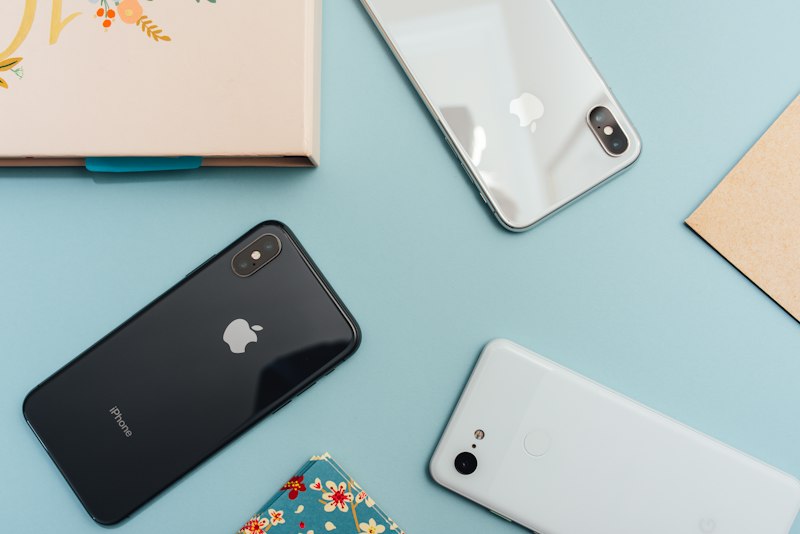
The battery is the only component in a modern phone that degrades on a predictable schedule regardless of how carefully you treat the rest of the device. It is also the component most often responsible for an otherwise healthy handset being replaced. Two variables dominate its lifespan: the voltage it sits at, and the temperature it experiences.
20–80%
Ideal charge window
62–72°F
Optimal temperature range
A lithium-ion cell held at a full charge for hours experiences sustained high-voltage stress, and heat accelerates the chemical ageing that follows. Leaving a phone plugged in on the nightstand from midnight to seven is close to the worst-case pattern: eight hours at maximum voltage, often under a pillow or beside a warm lamp. Several partial top-ups through the day generate less cumulative heat than one long 0-to-100 cycle, and cause meaningfully less wear.
Tip #3: Turn on the cap your phone already has
You do not need to manage this manually. On iPhone, Settings → Battery → Charging offers an 80% Limit and Optimized Battery Charging, which learns your routine and delays the final stretch until shortly before you wake. Samsung Galaxy devices running One UI 5 or later include a Protect Battery setting that hard-caps charging at 85%. Enable one of these tonight and the habit maintains itself permanently. Separately: take the case off during fast charging, and avoid gaming or navigating while plugged in, since both stack heat on top of charging heat.
One myth deserves burial. Modern lithium-ion batteries require no periodic full discharge. The practice is a holdover from nickel-cadmium cells and their memory effect — on current hardware, draining to zero simply adds voltage stress with no calibration benefit whatsoever. If your battery percentage readout genuinely drifts, that is a software calibration issue, not a reason to run the cell flat.
✅ The Fifteen-Minute Checklist
If you do nothing else this week, work through these five items in order. Each one is a single configuration change with a permanent effect.
- Add a passkey to your primary email account, then save the recovery codes somewhere offline.
- Lengthen your phone's passcode from four digits to six or more, or switch to alphanumeric.
- Open the privacy settings of every AI assistant you use and disable training contribution.
- Enable the 80% or 85% charge cap on your phone.
- Confirm two-factor authentication is active on your password manager and your AI accounts.
The common thread is that none of these require you to remember anything tomorrow. Good personal security is a configuration problem far more than it is a discipline problem — and the fifteen minutes you spend today is the last attention any of it will demand.


.webp)
Comments
Post a Comment