Work Smarter This Week: 3 Tech Tips That Actually Make a Difference
- Get link
- X
- Other Apps
Work Smarter This Week: 3 Tech Tips That Actually Make a Difference
🤖 Tip #1: Build a Lean AI Productivity Stack — and Stop Adding Tools
AI TOOLS PRODUCTIVITY

The AI tools landscape in 2026 is overwhelming by design. Every week brings a new assistant, a new copilot, a new suite. Yet the professionals consistently outperforming their peers are not the ones using the most tools — they are the ones using the fewest, with deliberate intent. The concept of a "lean AI stack" is simple: identify the top four friction points in your daily workflow, then assign one focused AI tool to each.
The winning formula breaks down into four roles: one tool for writing and drafting (Claude, ChatGPT, or Grammarly's advanced AI), one for research and synthesis (Perplexity, which draws on an average of 42 cited sources per query), one for meeting capture and summaries (Fireflies or Otter.ai), and one for automation between apps (Zapier, which now supports AI-powered workflow building through its Copilot feature). That is your stack. Resist the temptation to expand it until one of these tools is genuinely failing you.
Action Step
This week, open your app launcher and count the AI tools you have installed. Anything you have not used in the past 10 days should be removed or paused. Then choose one new capability from your remaining stack to go deeper on — whether that is mastering Perplexity's Focus Mode, setting up a Zapier automation, or creating a Grammarly style guide for your team. Depth beats breadth, every time.
📱 Tip #2: Your Android Phone Got Smarter in June — Here's What to Enable First
ANDROID SECURITY
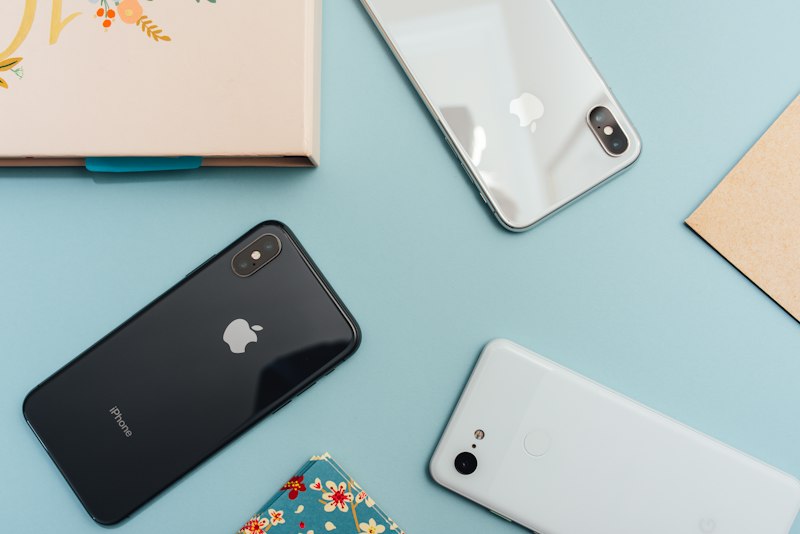
Google quietly rolled out Google Play Services version 26.21 earlier this month, and while most users dismissed the update prompt, it contained one change with genuinely significant implications for security. Android phones can now import and export passwords and passkeys between third-party password managers and Google Password Manager using a new Credential Exchange Standard. This is not a minor convenience feature — it means you can finally leave a password manager you dislike without the tedious manual export process, and it signals that passkey portability is now a first-class concern for Google.
Beyond the security update, the June Play Services rollout also brings structural improvements to app discovery inside the Play Store. Play Collections now surfaces content from apps you already have installed, so finding the next tool that fits your existing workflow has become meaningfully easier. The redesigned Play Store dialogs are cleaner across phones, Android Auto, and Android TV alike. If you have automatic updates enabled — which you should — these changes are already active on your device. If not, head to the Play Store, tap your profile photo, and select "Manage apps and device" to check your update status.
"Updates patch vulnerabilities and improve stability. Enable automatic updates whenever possible — most security breaches begin with an unpatched device." — Wing Assistant, Best Tech Tips 2026
Action Step
Open Google Password Manager on your phone (passwords.google.com) and review what credentials are stored there. If you use a third-party manager like 1Password or Bitwarden, use the new Credential Exchange feature to consolidate or cross-sync. Then confirm that two-factor authentication is active on your Google account — it takes under two minutes and is the single highest-return security action most users have not yet completed.
📅 Tip #3: Your Calendar Is an Execution System — Stop Using It as a Meeting Registry
PRODUCTIVITY DEEP WORK

The way most professionals use their calendars is fundamentally passive: meetings appear, they accept, and the rest of the day fills in around whatever gaps remain. The result is a fragmented schedule where deep, meaningful work gets permanently displaced by coordination overhead. The shift from a reactive calendar to a proactive execution system is one of the highest-leverage changes any knowledge worker can make, and it costs nothing beyond intention.
The method is straightforward. Each Monday morning — today, in fact — block two to three hours of uninterrupted time somewhere in your week and label it explicitly as deep work. Put it in your calendar the same way you would a meeting with an important external stakeholder. This is not "free time" — it is a commitment to your most critical deliverable. Pair this with grouping recurring meetings into defined windows (mornings for syncs, afternoons for creative work, for example) so that focus and collaboration no longer compete for the same cognitive territory. Research from productivity platforms like Reclaim.ai consistently shows that professionals who time-block deep work report completing priority tasks up to three times faster than those who work reactively. The 23-minute average refocus time after an interruption is not abstract — it compounds to hours of lost productivity every single day.
Action Step
Open your calendar right now and block a two-hour "Deep Work" slot for later this week. Then activate Focus Mode on your phone (iOS: Settings > Focus; Android: Digital Wellbeing > Focus Mode) for the duration of that block. Finally, learn five keyboard shortcuts you do not currently use — Ctrl+Shift+T to reopen a closed browser tab, Win+V for clipboard history on Windows, and Alt+Tab to switch apps instantly. The cognitive overhead you eliminate in one week compounds into hours reclaimed per month.
Sources
- Zapier — The Best AI Productivity Tools in 2026
- BGR — 6 New Features Added to Your Android Phone With Google's June 2026 System Update
- Wing Assistant — Best Tech Tips for Productivity, Efficiency and Smarter Work in 2026
- Reclaim.ai — 19 Top AI Productivity Tools for 2026
- Flown — Best Focus Apps for Deep Work in 2026
- Get link
- X
- Other Apps


.webp)
Comments
Post a Comment